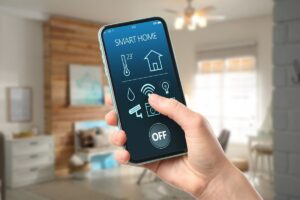
Today, it has become easier than ever to keep an eye on your home. Many people use smart devices, but many still do not use these systems because they do not understand how wireless home security camera systems work. A simple wireless camera setup can help you stay aware of what is happening around your home, whether you are inside or away. But without a clear understanding of how it works and its settings, you may not use it in the best way or get the desired results.
In this guide, you will learn how a wireless home security system with cameras works, what features to look for, how to set them up properly, and what to consider before choosing the right system for your home.
What Is a Wireless Home Security Camera System?
A wireless home monitoring camera system helps you watch your home without running video cables through the walls. It uses Wi-Fi to send video from the camera to your phone or computer. You can open an app and check what is happening at your front door, inside your room, or outside your house at any time.
These systems come in two types: wireless and wired. Home wireless security camera systems with Wi-Fi are useful for watching entry points, checking deliveries, or keeping an eye on your home when you are away. It is simple to install and does not require technical knowledge.
On the other hand, Wireless does not always mean completely wire-free. A wireless system sends video over Wi-Fi, but some cameras still need a power cable. Wire-free cameras run on batteries and can be placed anywhere. This difference matters when you choose the best wireless home security camera system for your needs.
5 Key Features to Look for Before You Install a Wireless Monitoring Camera System
To understand how the best wireless home security camera system works, you should first know what features matter most. These features affect video quality, connection strength, storage, daily use, and overall setup.
Camera Quality and Coverage
The camera quality decides how clearly you can see what is happening around your home. A low-quality camera may miss small details like faces or objects. A clear camera helps you see things properly when it matters. This helps you build a better wireless home surveillance camera system without adding extra devices.
Wi-Fi Strength and Range
Your Wi-Fi plays a big role in how well your system works. It affects how fast the camera sends video and how quickly you get alerts. Remember, if the signal is weak, the video may load slowly or stop at times. In that case, you may also miss important alerts.
The Storage Option
Storage decides how you keep and access your video. In a camera system, there are two main storage options: cloud storage and local storage. Cloud storage saves your footage online. You can open the app and check videos from anywhere. On the other hand, local storage saves footage inside the camera or on a memory card. That’s why it does not need a subscription, so it is a good choice if you want wireless security cameras without subscription fees.
App Controls and Smart Alerts
The mobile app is what you use every day to manage your system. Through an app, you can see live video without delay. Not only live videos, but it also lets you check past recordings and adjust settings. Smart alerts are just as important because the app can notify you when it detects motion near your home.
The Power Source
There are two main power options: battery power and plug-in power. Battery-powered cameras are easy to place almost anywhere. This is a good choice for outdoor use home wireless security camera systems, as you don’t need wires or power outlets. In comparison, plug-in cameras stay powered all the time. You do not need to charge them, but you need a nearby outlet. So you should choose based on your setup.
How Wireless Home Security Camera Systems Work
A wireless indoor CCTV camera system works with a simple process. The camera records activity, sends the footage through Wi-Fi, stores it, and then lets you view it through an app. When you understand how this process works, it becomes easier to see how the system protects your home. Let’s look at how each part of the process works below:
The Camera Records Video
The camera captures what is happening around your home through its lens and sensors. It records activity when someone walks near your door, enters your driveway, or moves outside a window. Many cameras also work well at night, which helps you monitor your home even in low light. Once the video is recorded, the system can send it, store it, and show it to you when needed.
The System Sends Footage Over Wi-Fi
After the camera records video, it sends the footage through your Wi-Fi network. This is what allows a wireless indoor CCTV camera system to work without video cables running through your home. If your connection is stable, the video can reach your app quickly, so you can check what is happening without much delay. This step is important because it moves the footage from the camera to the place where you can view or save it.
The Video Is Stored in the Cloud or Locally
After the footage is sent, the system stores it so you can watch it later. You can choose cloud storage or local storage, such as an SD card inside the camera. Cloud storage lets you access your videos from anywhere, while local storage keeps the footage saved on your device. In a wireless home security system with cameras, this step helps make sure your recordings are available when you need them.
You Can View Live Footage and Get Alerts
Once the video is stored, you can open the app and check your camera at any time. You can watch live footage, review saved clips, and get alerts when the system detects motion. This remote access will also help you to stay connected to your home even when you are away. If you want to understand this feature better, you can explore this guide on wireless security camera systems with remote viewing.
How to Set Up a Wireless Indoor Monitoring Camera System (Simple DIY Guide)
Now that you know what features matter and how best home wireless camera security systems work, the next step is learning how to set it up the right way. It is very easy to install a wireless CCTV system for the home, but it still needs proper planning. Below, you can follow simple steps to set it up by yourself:
Step 1: Choose the Right Spot for Each Camera
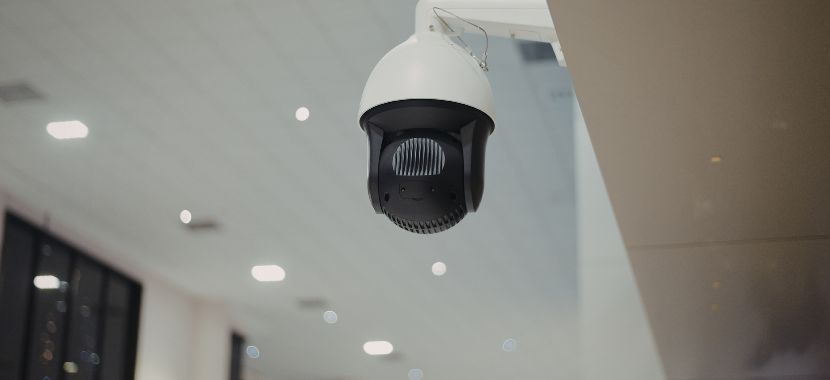
You should start by choosing the best place for each camera. This step matters because the camera position affects how much area it can cover and how clearly it can record activity. Focus on key areas like the front door, back door, driveway, garage, and windows. These spots usually need more attention in a wireless home monitoring camera. If you need more help with placement, you can also read this guide on where to place security cameras inside and outside your property.
Before mounting the camera, it is a good idea to check the height and angle as well. A clear and wide view helps the system capture more useful footage.
Step 2: Connect the Camera to Power and Wi-Fi
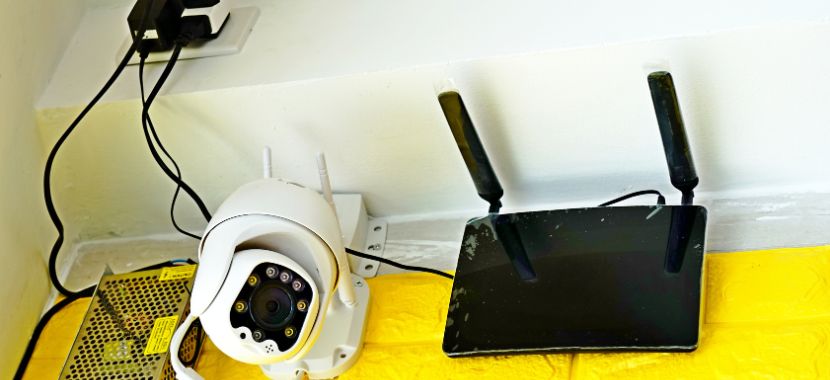
After choosing the location, the next step is to connect the camera. This includes both the power source and the Wi-Fi network. Make sure the camera is within a strong Wi-Fi range before final placement. If the signal is weak, the video may lag or disconnect. A stable connection helps the system work smoothly and keeps your footage easy to access.
In my opinion, after turning on the camera, you should follow the instructions in the app. Most wireless CCTV systems for the home guide you through the setup, which makes the process easier.
Step 3: Install the App and Adjust the Settings
Once the camera is connected, the next step is to install the mobile app and complete the basic setup. These settings often include motion detection, alert preferences, video quality, and storage options. You can adjust the settings based on your home and daily routine. The right setup can reduce false alerts and make your wireless home smart camera system easier to use every day.
Step 4: Test the Camera View and Motion Alerts
After the setup is complete, the final step is to test how the camera works. This will help you to confirm that the view is clear and the alerts are working properly. For that, you should open the app and check the live video first. Make sure the camera covers the area you want to monitor and does not miss important spots. If needed, you can adjust the angle, placement, or motion sensitivity. This final check helps your wireless home CCTV system work the way you expect.
If you live in NYC and want a more reliable setup or do not want to handle the installation yourself, you can also rely on our security camera installation services in New York City for professional support.
Final Thoughts
Now you have a clear understanding of how wireless home security camera systems work and how each part helps protect your home. With the right placement and setup, your system can cover key areas and help you avoid common mistakes.
If you want expert help or have questions about your setup, you can also contact our team at City Smart Systems NYC for guidance and support.
Frequently Asked Questions
1. What is a wireless home security camera system with a monitor?
A wireless home security camera system with a monitor includes a dedicated screen that shows live footage from your cameras. It allows you to view video directly without using a phone or computer.
2. What is the best wireless home security camera system without a subscription?
The best wireless home security camera system without a subscription usually includes local storage, such as an SD card or built-in recorder. This helps you to save and review footage without paying monthly fees.
3. Do night vision wireless outdoor security cameras with Wi-Fi work well at night?
Yes, night vision wireless outdoor security cameras with Wi-Fi are designed to capture clear footage in low light and dark conditions as well. They use infrared or low-light sensors to monitor outdoor areas like driveways, entrances, and yards. 4. What happens if the Wi-Fi connection is lost?
If the Wi-Fi connection is lost, most cameras will stop sending live footage and alerts. However, cameras with local storage can continue recording and save footage until the connection is restored.
5. Do wireless security cameras require a monthly subscription?
Not all wireless security cameras require a subscription. Systems with local storage allow you to save footage without ongoing costs. However, cloud storage plans may require a monthly fee for extended video history and remote access features.